
TCB Infotech | Expert Odoo & ERPNext Implementation Partner


Schedule Call With Us
AI Shop Floor Monitoring

See Your Shop Floor as It Happens, Not at the End of the Shift

AI that gives you a live view of every machine. It tracks status, output, downtime and bottlenecks in real time, alerts the right person the moment a line stops or slows, and logs the reason, so supervisors act now instead of reading about it tomorrow.

50+ ERP and software projects. Zero failed projects since 2021.

Shop floor, live
Live
CNC Line 1
Running
412 / hr
Press A2
Running
388 / hr
Weld Cell 3
Down
0 / hr
Paint Line
Idle
0 / hr
Assembly B
Running
256 / hr
Packing 2
Running
301 / hr
Illustrative board. Figures are examples, not live data.
Live
Status of every machine
Now
Stops caught, not tomorrow
1
Alert to the right person
Logged
Reason for every stop
Why It Matters

The floor tells you everything, a day too late

By the time a stop shows up in a report, the shift is over and the output is already lost. A live view moves the decision to the moment it can still change the outcome.

See It as It Happens

A stop you can see is a stop you can fix

When a line goes down, every minute is output you do not get back. Monitoring shows the stop the second it starts and sends it to the person on that line, so the response is minutes, not the next morning.

  • The status of every machine on one board.
  • A stop or slowdown flagged the moment it starts.
  • The alert goes to the person who can act.
A supervisor checking a live production dashboard on the factory floor
Know Why, Not Just What

Every stop logged with its reason

It is not enough to know a machine was down for forty minutes. Monitoring captures why: a changeover, a material wait, a jam, a breakdown. The reasons build up, so you can see which cause is eating the most time and fix the pattern, not just the incident.

  • A reason attached to every stop.
  • The causes that cost you the most, ranked.
  • End-of-shift numbers that explain themselves.
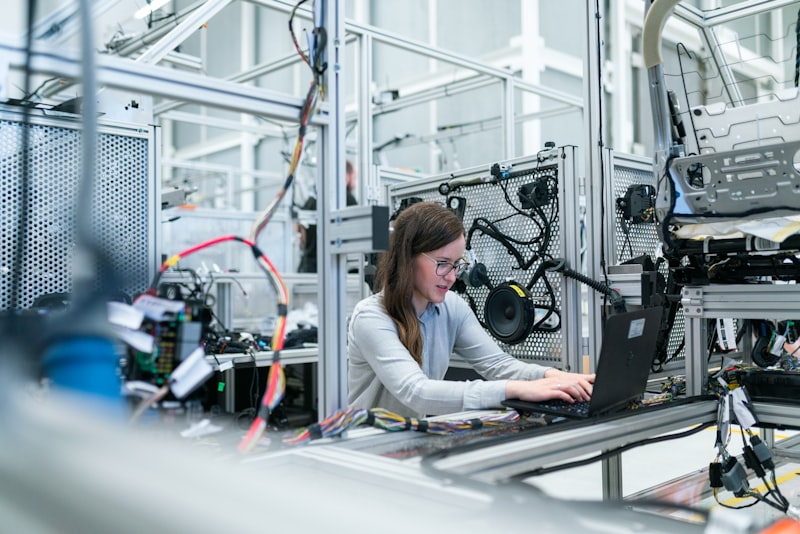
An operator logging the reason for a machine stop
One Live Board

Every machine, one status at a glance

Running, idle or down, with output next to each name. The same tiles supervisors watch on the wall board show up on a phone or a screen in the office.

Line status board
Live
CNC Line 1
Running
412 / hr
Press A2
Running
388 / hr
Weld Cell 3
Down
Stop: 12 min
Paint Line
Idle
Waiting: parts
Assembly B
Running
256 / hr
Packing 2
Running
301 / hr
Illustrative board. Figures are examples, not live data.
How It Works

From a machine signal to a supervisor acting

1
Connect
We read the signals your machines and sensors already send, and pull work orders from your ERP.
2
Track
Status, output, downtime and pace are tracked live for every machine and line.
3
Detect
The moment a line stops or slows below its normal pace, it is flagged as it happens.
4
Alert
The right person is notified on the channel they use, with escalation if the stop drags on.
5
Log
The reason is captured against the stop, so the pattern is clear over days and weeks.
What It Monitors

Six things it watches on the floor

All from the machine and sensor data you already produce, reconciled with your ERP.

🟢

Machine status

Running, idle or down for every machine, updated live, so the state of the whole floor is on one board.

📈

Output and pace

Units per hour against the pace the line should be holding, so a slowdown is visible before it becomes a shortfall.

Downtime

Every stop, how long it lasted, and whether it was planned, so lost time is counted instead of guessed.

🚩

Bottlenecks

Where work is piling up and which machine is holding back the line, so you fix the constraint, not a symptom.

📝

Stop reasons

The cause logged against each stop: changeover, material wait, jam or breakdown, building a record over time.

🔧

Maintenance triggers

Repeated slowdowns and stops on a machine flagged early, so maintenance is called before it fails outright.

What Changes

What a live floor changes

Live
View of every machine
Faster
Response to a stopped line
Less
Downtime that goes unnoticed
Higher
Output across the shift
Clear
Reasons behind every stop
Fewer
Surprises at end of shift
Why Us

Why manufacturers choose TCB Infotech

1
We know the ERP side
We build ERP and software, so machine data lines up with your work orders and production plan, not a separate silo.
2
Works with what you have
We read the signals your machines and sensors already send, and add a sensor only where a signal is missing.
3
Built for the floor
Boards a supervisor can read at a glance and alerts on the channels they already use, not another login to ignore.
4
Model-agnostic
We use the approach that fits the signal, from simple rules to machine learning, and are not tied to one vendor.
5
Start small, prove it
We stand up one line or cell first, show it working, then roll out across the floor.
6
Proven delivery
50+ projects across industries, with zero failed projects since 2021.
FAQ

Shop floor monitoring questions

What is AI shop floor monitoring?
It is a live view of your production floor. It reads machine and sensor data alongside your ERP records, shows the status of every machine, and tracks output, downtime and bottlenecks in real time. When a line stops or slows, it alerts the right person and logs the reason.
Do we need new machines or new sensors for this?
Usually not. Most machines already send status and counter signals, and many plants already have sensors and PLCs. We connect to what you have first. Where a signal is missing, we add a low-cost sensor for that one point rather than replacing equipment.
How is this different from the reports we already get?
Reports tell you about a stop after the shift is over. Monitoring tells you while it is still happening, so a supervisor can act now. It also logs the reason for every stop, so the end-of-shift numbers explain themselves.
Who gets the alerts?
You decide. A stop on one line can go to the line supervisor, a longer stop can escalate to the plant manager, and a maintenance trigger can go to the maintenance team. Alerts go to the person who can act, on the channel they already use.
Will it work with our ERP?
Yes. The monitoring reads machine and sensor data and reconciles it with your ERP work orders and production plan, so output and downtime line up with the jobs they belong to. It is built to sit on top of the systems you already run.
How long does it take to see a live board?
For a first line or cell, a working live board usually takes a few weeks, depending on how the machines expose their signals. We start with one area, prove it, then roll out to the rest of the floor.

Put Your Shop Floor on One Live Board

Book a free consultation. We will look at your lines, the signals your machines already send, and your ERP, and show you what a live monitoring board would cover for your plant.

Book a Free Consultation →

No commitment. A practical first look at monitoring your floor.