TCB Infotech | Expert Odoo & ERPNext Implementation Partner


Software That Runs in the Browser
Custom web applications with nothing to install: dashboards, internal tools, customer portals and ordering apps. Reachable from anywhere on any device, connected to your ERP, hosted in the cloud.
50+ ERP and software projects. Zero failed projects since 2021.
When a spreadsheet is not enough
You need software shaped around your process, reachable by your team and customers from anywhere.
Open a link and start working
A web application runs in the browser, so there is no software to install or update on each machine. Your team opens a link, logs in, and works on a laptop, tablet or phone.
- Works on any device with a browser.
- No installs, no version mismatches.
- Updates roll out to everyone at once.
One view of real data, not stale copies
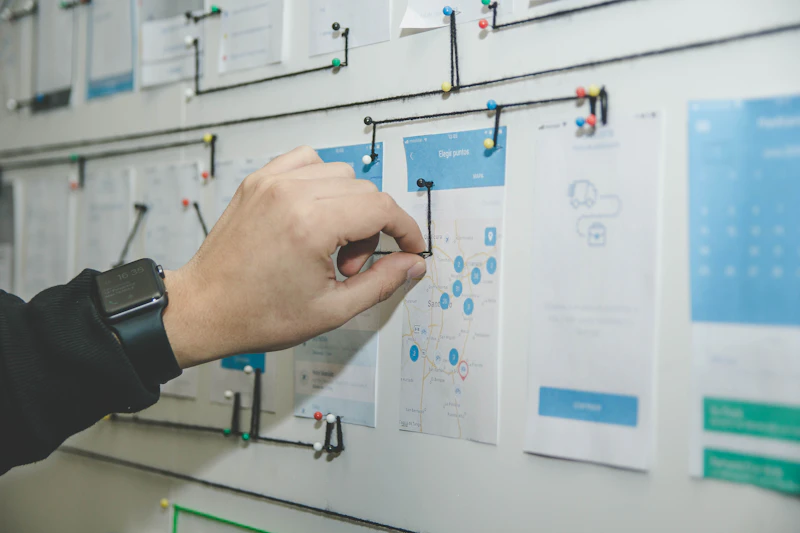
The app reads and writes to your ERP and other systems through APIs, so everyone sees the same live numbers. No more emailing spreadsheets back and forth or wondering which copy is current.
- Connected to your ERP, databases and tools.
- Real-time data, the same for everyone.
- Actions write straight back to your systems.

Software that fits your process, not the other way round
When an off-the-shelf tool almost fits but not quite, you bend your process to match it. A custom web app is shaped around the way you actually work, with the screens and rules your team needs.
- Screens and steps that match your work.
- Roles and permissions for each person.
- Room to grow as the business changes.

When the spreadsheet starts to creak
A shared file works until more than one person needs it at once.
- Only one person edits at a time, or copies pile up.
- No login, so anyone with the file sees everything.
- Data drifts out of date the moment it is exported.
- No rules, so a wrong entry breaks the formulas.
- Customers and partners cannot reach it.
- Many people work at once on the same live data.
- Secure login and roles control who sees what.
- Connected to your ERP, so the data stays current.
- Validation stops bad entries before they save.
- Customers and partners log in from anywhere.
From idea to a live application
A clear path, with a working version in your hands early.
Web applications for the way you work

Dashboards
Live views of the numbers that matter, pulled from your ERP and other systems in real time.

Customer portals
A place for customers and partners to log in, check status, raise requests and self-serve.

Internal tools
The custom screens your team needs to run daily work, with the rules and steps built in.

Booking and ordering apps
Let customers place orders or book slots online, around the clock, straight into your ERP.

Data and reporting apps
Search, filter and report across your data, with views built for each team.

Progressive web apps
App-like on a phone, installable to the home screen, with offline-friendly behaviour.
The pieces behind every app we build
Modern, dependable foundations, chosen to fit your stack.
What a web app changes in practice
Why teams choose TCB Infotech for web apps
Web application questions
What is a custom web application?
How is a web app different from a website?
Do we need to install anything?
Can it connect to our ERP and other systems?
Is a web application secure?
How long does it take to build one?
Turn Your Spreadsheet Into a Real App
Book a free consultation. We will map what you need and show you the web application that fits.
Book a Free Consultation →No commitment. A working assessment of what to build first.