
TCB Infotech | Expert Odoo & ERPNext Implementation Partner

Schedule Call With Us
Product Lifecycle Tracking

Know Which Products to Grow, Hold or Phase Out

Every product has a life, from launch to growth, maturity and decline. Our AI tracks where each one sits using your real sales trends, flags slow movers and end-of-life products early, and tells you when to promote, reorder or discontinue, so dead stock stops building up.

50+ ERP and software projects. Zero failed projects since 2021.

Classic Cotton Shirt SKU 4021 · 14 months live
⚡ AI
Introduction
1 Launched
Growth
2 Sales rose
Maturity
3 Now
Decline
4 Watch
12-week trend
Suggest Hold and watch for decline. Demand is flattening, so hold buying and plan the next promotion.
4
Lifecycle stages tracked
Every
Product scored on its trend
Early
Slow-mover warning
Less
Dead stock and markdowns
Why It Matters

Most dead stock is a timing problem

Products do not fail overnight. They slow down gradually, and by the time a report shows it, the stock is already sitting. Tracking the lifecycle catches the turn early.

Catch the Turn Early

See slow movers before they become dead stock

When a product moves from growth into maturity and starts to slip, the AI sees the trend change and flags it. You get the warning while the stock still holds value, not after it has been sitting for months.

  • Each product placed in its current stage.
  • Slow movers flagged as the trend turns.
  • End-of-life products marked before stock piles up.
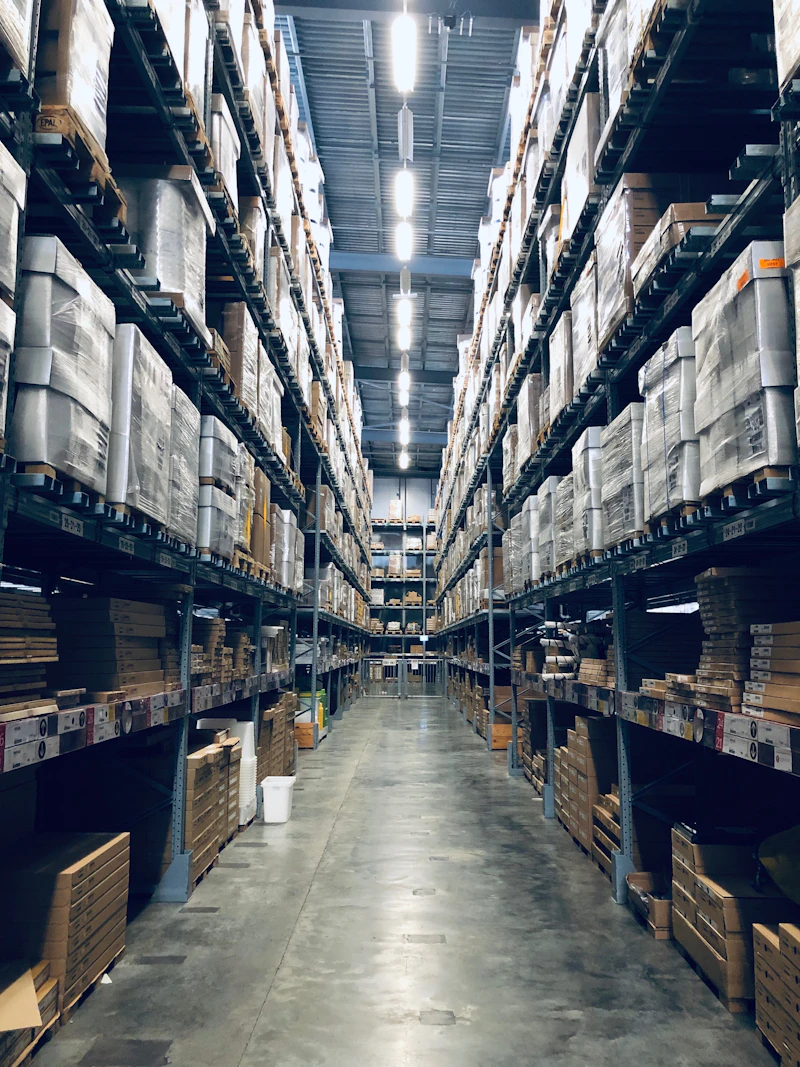
Warehouse shelves of product stock
Invest in the Right Products

Put money behind products that are still growing

Not every product deserves the same attention. The AI separates the products still climbing from the ones on the way down, so you promote and reorder the winners and stop pouring budget into products in decline.

  • Growth-stage products marked for reorder and promotion.
  • Declining products flagged to wind down.
  • Decisions based on real sales trends, not gut feel.
Team reviewing product sales trends on screen
The Four Stages

Every product moves through the same life

The AI reads each product's sales trend and places it in one of four stages, then updates that stage as new sales come in.

Stage 1
Introduction
The product has just launched. Sales are small and unproven, so the focus is watching whether demand takes hold.
Stage 2
Growth
Demand is climbing week over week. This is where reorders and promotion pay back, so the product does not run out.
Stage 3
Maturity
Sales have levelled off at a steady rate. The job here is to hold stock tight and watch for the first sign of decline.
Stage 4
Decline
Demand is falling. The AI flags it early so you can clear stock, stop reordering and plan the replacement in time.
How It Works

From your sales data to a clear action for each product

1
Connect
We connect to your ERP and pull product, sales and stock data.
2
Read the trend
The AI tracks how each product sells over time, week by week.
3
Place the stage
It places each product in a lifecycle stage from the trend.
4
Flag and rank
Slow movers and end-of-life products are flagged and ranked.
5
Suggest action
Each product gets a suggestion: promote, reorder, hold or discontinue.
What It Tracks

The signals behind every lifecycle call

The AI does not guess. It watches the patterns in your own data and turns them into a clear stage and action.

📈

Sales trend per product

How demand for each product is moving week over week: rising, flat or falling, and how fast.

📉

Slow movers

Products whose sales have dropped below their own recent pace, flagged before stock starts to sit.

End-of-life signals

Steady decline over several periods, so you can wind a product down before it turns into dead stock.

📦

Stock against stage

How much stock you hold versus the stage the product is in, so mature and declining lines do not stay over-bought.

🔄

Reorder timing

When a growth-stage product needs restocking, so winners do not run out during their best run.

🏷

Markdown risk

Products heading for a forced markdown, flagged early so you can clear them while they still hold value.

What Changes

What lifecycle tracking changes

Early
Warning on slow movers
Less
Dead stock sitting in the warehouse
Fewer
Deep, forced markdowns
Right
Products backed with reorders
Clear
Call to promote, hold or discontinue
Freed
Cash tied up in the wrong stock
Why Us

Why teams choose TCB Infotech for lifecycle tracking

1
Built on your ERP data
It runs on your real product, sales and stock data, so the stages reflect how your business actually sells.
2
We know the systems
We build ERP and software, so connecting to your data and stock is our normal work, not a science project.
3
Model-agnostic
We pick the approach that fits your data and hosting rules, and keep the logic tied to your sales trends.
4
Action, not dashboards
Every product ends with a clear suggestion, so planners act instead of reading charts.
5
Starts small
We can begin with one category or brand, prove the calls, then widen it across the catalogue.
6
Proven delivery
50+ projects across industries, with zero failed projects since 2021.
FAQ

Product lifecycle tracking questions

What is product lifecycle tracking?
It is an AI service that watches how each product sells over time and works out which lifecycle stage it is in, from launch to growth, maturity and decline. It then flags what to do next, so you grow the right products and phase out the rest in time.
How does the AI decide a product's stage?
It reads the real sales trend for each product in your ERP: how demand is moving week over week, whether it is rising, flat or falling, and how that compares to similar products. From that pattern it places the product in a stage and updates it as new sales come in.
Does this replace my planners?
No. It gives your planners an early, ranked list of what needs attention, such as slow movers and products heading into decline, so they spend time on decisions instead of digging through reports.
What data does it need?
It works from your own ERP and sales data: product master, sales history, current stock and, where useful, purchase and lead-time data. We connect to what you already run, so it uses your real numbers.
How does it reduce dead stock?
By spotting slow movers and end-of-life products early, it warns you before stock piles up. You can stop reordering, clear stock while it still holds value, and avoid the deep markdowns that come from reacting too late.
Which AI model do you use?
The service is model-agnostic. We choose the approach that fits your data and hosting rules, and the logic stays tied to your real sales trends rather than any single vendor's model.

See Where Your Products Are in Their Life

Book a free consultation. We will look at your product and sales data and show you how lifecycle tracking would flag your slow movers and guide what to grow, hold or phase out.

Book a Free Consultation →

No commitment. A practical first look at your product lifecycle.