TCB Infotech | Expert Odoo & ERPNext Implementation Partner
All-in-One Integration: One System, Zero Data Silos
Every Odoo app communicates natively with every other app. When a sales order is confirmed, inventory is reserved, a delivery order is created, an invoice is generated, and the accounting entry is posted — all automatically, in real time, without any third-party connectors or manual data entry.
This end-to-end integration is what sets Odoo apart from solutions where you bolt together separate tools (a standalone CRM, a separate accounting package, a different inventory system) and pray they sync correctly.
With Odoo, there are no data silos because there is only one database. For businesses operating across departments, locations, or even countries, this means a single source of truth. Your sales team in Jaipur and your warehouse in Dubai see the same real-time data.
New to the platform? Read our complete guide on What is Odoo ERP →
Modular by Design: Start Small, Scale Without Limits
Odoo’s modular architecture means you implement only what you need. Starting with just Accounting and Inventory? That’s perfectly fine.
Need to add CRM next quarter and Manufacturing next year? Just activate the module. No re-implementation. No data migration. No disruption.
This is fundamentally different from legacy ERPs like SAP or Oracle, where you typically pay for the entire suite upfront and face 12–24 month implementation timelines. Odoo deployments for 10–25 users typically complete in 2–4 months. For larger organisations (100+ users), 6–12 months — still significantly faster than the alternatives.
Explore our professional Odoo Implementation Services →

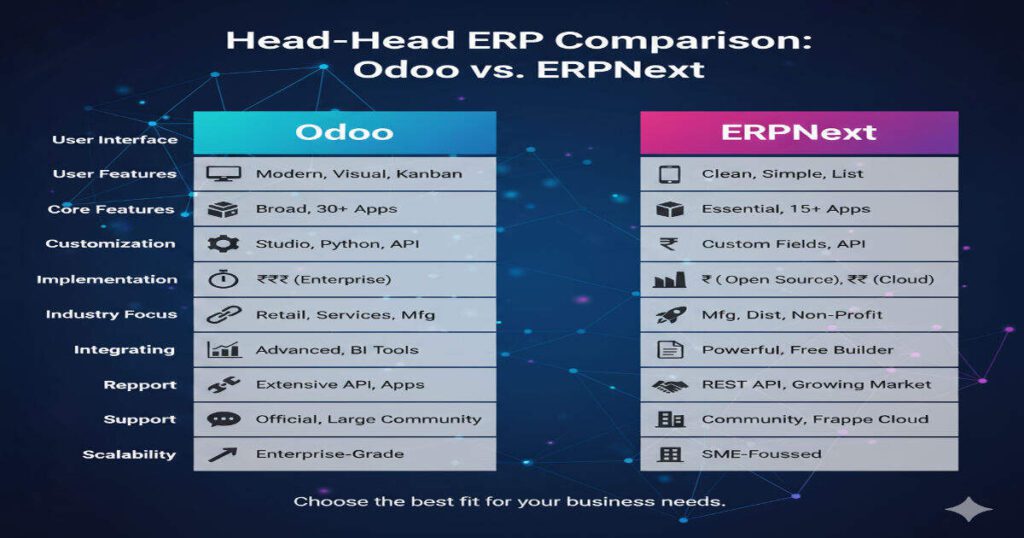
Odoo Studio: Drag-and-Drop Customisation
Odoo Studio (Enterprise edition) allows you to customise screens, create automated actions, build custom reports, and design entirely new workflows — all without writing a single line of code.
Add fields, change layouts, create approval workflows, and set up automated email triggers through a visual interface. For deeper customisation, Odoo’s backend is a powerful development platform built on Python and PostgreSQL.
With over 43,000 community-developed apps on the Odoo marketplace, chances are someone has already built what you need. And if they haven’t, TCB’s development team can build custom modules tailored to your exact requirements.

Multi-Company, Multi-Currency, Multi-Everything
For businesses operating across multiple entities, locations, or countries, Odoo provides native multi-company management with inter-company transactions, consolidated reporting, and entity-specific configurations — all within a single installation.
- Multi-currency support handles real-time exchange rates, currency-specific pricing, and automated gain/loss entries.
- Multi-warehouse management tracks inventory across locations with automated replenishment rules.
- Multi-website support lets you run multiple branded storefronts from one backend.
We’ve implemented multi-entity setups for clients across India, UAE, and Saudi Arabia — managing cross-border operations and unified reporting.