Upgrading to ERPNext version 16 represents a significant opportunity to modernize your business operations with enhanced features detailed in our ERPNext Version 16 release notes, improved performance, and better user experience. However, migration requires careful planning, technical expertise, and business process understanding to ensure a smooth transition without disrupting your operations.
Why Choose Professional ERPNext v16 Migration Services?
Business Continuity Protection
Migration isn’t just a technical upgrade—it’s a critical business process that affects every department. Professional migration services ensure:
- Zero data loss during the transition process
- Minimal downtime with carefully planned migration windows
- Preserved customizations that align with your business workflows
- Tested integrations with third-party systems and APIs
- User adoption support to maintain productivity during transition
Technical Complexity Management
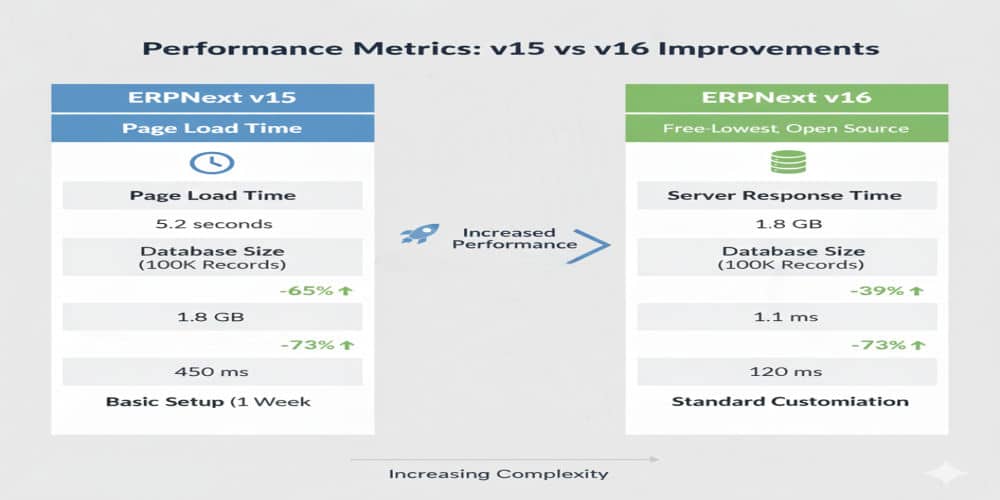
ERPNext v16 introduces significant architectural changes, including Frappe Framework v16 updates, new UI components, and enhanced security features. Professional migration handles:
- Database schema changes and data transformation
- Custom app compatibility testing and updates
- API endpoint modifications and integration updates
- Performance optimization for new architecture
- Security configuration and compliance requirements
For deeper technical insights, you may explore the official Frappe documentation at Frappe Framework Docs.
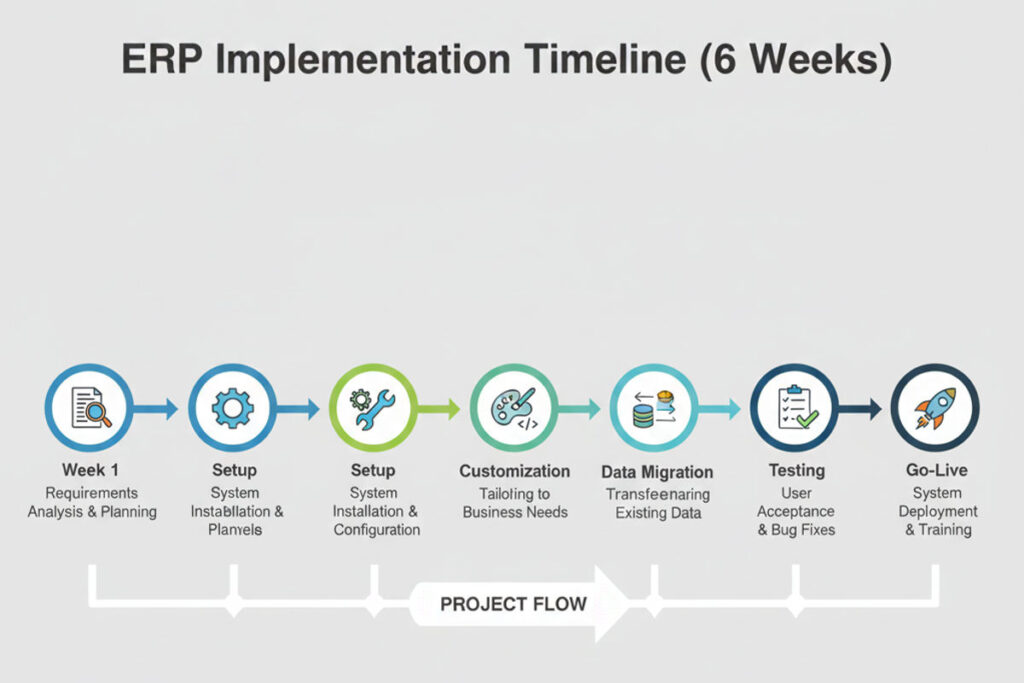
Comprehensive ERPNext v16 Migration Process
Phase 1: Pre-Migration Assessment (Week 1)
Current System Audit
- Complete inventory of installed apps and customizations
- Database size and complexity analysis
- Integration points and third-party connections mapping
- User role and permission structure documentation
- Custom report and dashboard identification
Risk Assessment
- Identification of potential migration challenges
- Custom code compatibility evaluation
- Data quality and cleanup requirements
- Downtime impact analysis
- Rollback strategy development
Migration Planning
- Detailed project timeline with milestones
- Resource allocation and team responsibilities
- Communication plan for stakeholders
- Testing strategy and acceptance criteria
- Go-live date selection and preparation
Phase 2: Development Environment Setup (Week 1-2)
Infrastructure Preparation
- Development server provisioning with ERPNext v16
- Staging environment configuration
- Backup systems and disaster recovery setup
- Testing environment preparation
- Version control and deployment pipeline setup
Initial Migration Testing
- Database backup and restoration to development
- Test migration execution and issue identification
- Custom app installation and compatibility testing
- Integration endpoint testing
- Performance baseline establishment
Phase 3: Customization Migration (Week 2-3)
Custom App Updates
- Code review for v16 compatibility
- API endpoint updates for framework changes
- UI component migration to new design system
- Testing custom workflows and automation
- Documentation updates for modified features
Integration Updates
- Third-party API connection testing
- Payment gateway integration verification
- Email and notification system testing
- Mobile app API compatibility
- Webhook and automation rule updates
Phase 4: Data Migration & Validation (Week 3-4)
Data Preparation
- Data cleanup and quality improvement
- Historical data archival strategy
- Master data validation and correction
- Transaction data integrity verification
- Document attachment migration planning
Migration Execution
- Full database migration to staging environment
- Data transformation and mapping
- Custom field data preservation
- File and attachment migration
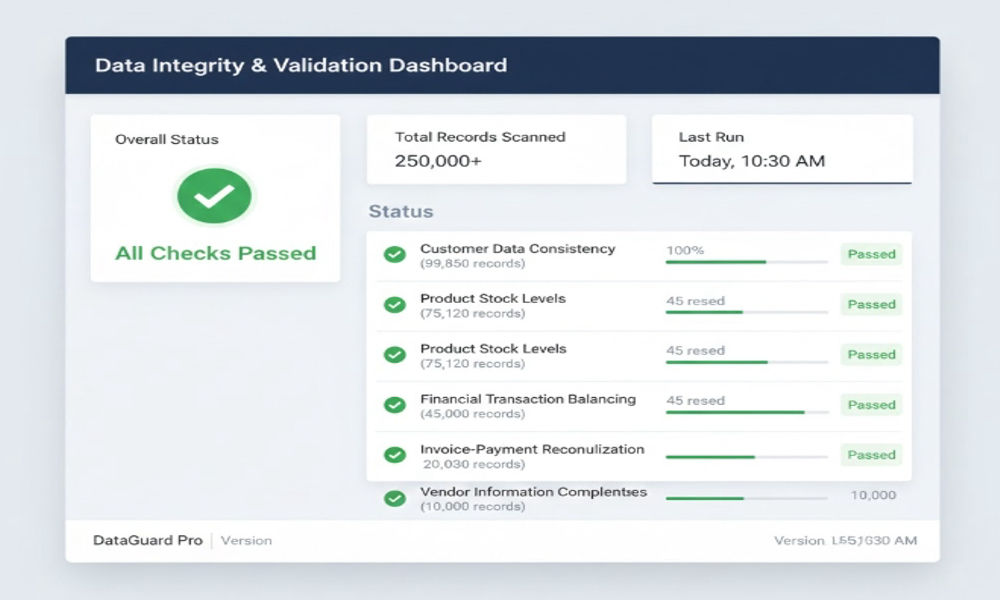
- Post-migration data validation
Validation Testing
- Financial data accuracy verification
- Inventory balance reconciliation
- Customer and supplier data validation
- Historical transaction integrity check
- Report output comparison (v15 vs v16)
Phase 5: User Acceptance Testing (Week 4-5)
Functional Testing
- Core module functionality verification
- Custom workflow testing
- Report generation and accuracy
- Integration endpoint testing
- Mobile app functionality validation
User Training & Testing
- Role-based training sessions
- Test scenario execution by end users
- Feedback collection and issue logging
- Documentation and user guide updates
- Super user certification
Phase 6: Go-Live & Support (Week 5-6)
Production Migration
- Final backup of production system
- Scheduled downtime communication
- Production migration execution
- Post-migration validation
- System performance monitoring
Post-Go-Live Support
- 24/7 support for first 48 hours
- Issue resolution and troubleshooting
- User assistance and training reinforcement
- Performance monitoring and optimization
- 30-day stabilization support
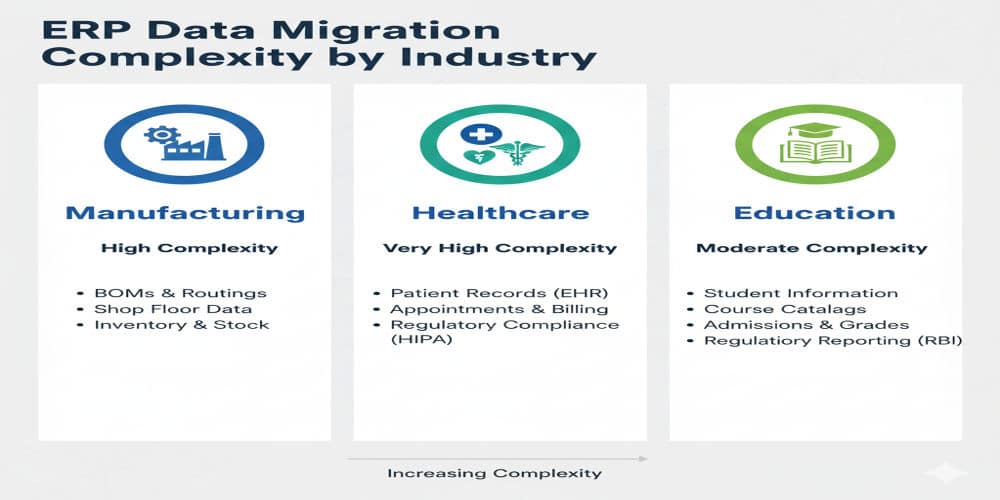
Industry-Specific Migration Expertise
Manufacturing
- Bill of Materials (BOM) structure preservation
- Work order and production planning data migration
- Quality inspection records and templates
- Subcontracting workflow customizations
- Shop floor management system integration
Healthcare
- Patient records and medical history migration
- Appointment scheduling system updates
- Laboratory and diagnostic data preservation
- Pharmacy inventory and prescription management
- Insurance and billing workflow customizations
Education
- Student enrollment and academic records
- Fee structure and payment history migration
- Examination and assessment data preservation
- Library management system integration
- Parent portal and communication system updates
NBFC & Financial Services
- Loan management system migration
- Repayment schedule and transaction history
- Regulatory compliance report customizations
- Document management system integration
- Customer KYC and verification data migration
What’s Included in Our Migration Services
Technical Services
- Complete system audit and assessment
- Development and staging environment setup
- Database migration and data validation
- Custom app migration and testing
- Integration updates and testing
- Performance optimization
- Security configuration and hardening
Business Services
- Business process review and optimization
- User training and documentation
- Change management support
- Go-live planning and execution
- Post-migration support (30 days)
- Knowledge transfer to internal team
Deliverables
- Pre-migration assessment report
- Detailed migration plan and timeline
- Custom app compatibility report
- Data validation and reconciliation reports
- User training materials and documentation
- Go-live checklist and runbook
- Post-migration support documentation
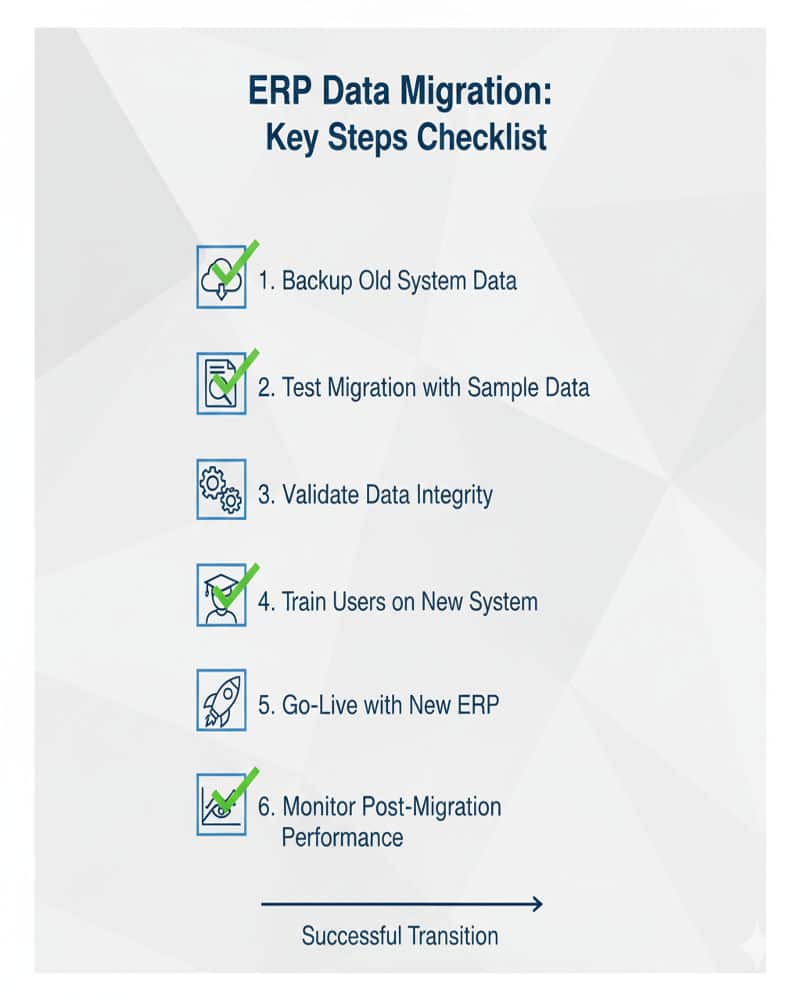
ERPNext v16 Migration Checklist
A successful ERPNext v16 migration requires a structured, methodical approach to ensure data integrity, system stability, and seamless business continuity. To support your transition, we’ve compiled a comprehensive migration readiness checklist that brings together all critical activities your team should complete before, during, and after the upgrade. This checklist acts as a high-level roadmap that aligns technical teams, management, and end users for a smooth and predictable migration journey.
Pre-Migration Preparation
Before initiating any migration activity, it’s essential to ensure that your current ERPNext v15 system is stable and ready for upgrade. This includes verifying system health, completing data cleanup tasks, and confirming the compatibility of all custom apps, workflows, and integrations.
Key Actions:
- Full system-level backup including database, files, and private directories
- Verification of server resources and system requirements for ERPNext v16
- Documentation of active modules, user roles, API connections, and custom reports
- Identification of high-risk areas and creation of mitigation plans
- Scheduling internal communication with departments regarding migration windows
Technical Validation & Testing
Once preparations are completed, your development or implementation team should conduct rigorous testing in a staging environment. This ensures that all custom components adapt well to Frappe Framework v16 changes and ERPNext’s upgraded features.
Key Actions:
- Migration execution on staging server
- Testing of all custom apps and scripts for v16 compatibility
- Review and reconfiguration of API endpoints
- Validation of email alerts, print formats, automation rules & integrations
- Performance benchmarking and UI verification
Data Accuracy & Functional Verification
A robust data validation phase ensures that the integrity and accuracy of your business-critical information remain intact during the transition.
Key Actions:
- Master data verification (Items, Customers, Suppliers, BOMs, Accounts, etc.)
- Financial reconciliation across ledgers and reports
- Inventory valuation and stock balance checks
- Transaction history validation for sales, purchase, and manufacturing cycles
- Cross-checking custom fields, linked documents, and attachments
End-User Readiness & Training
To maximize adoption and avoid productivity slowdowns, your users must be well-prepared for the changes introduced in the new version.
Key Actions:
- Role-based training sessions on new v16 features
- Departmental UAT (User Acceptance Testing) for everyday workflows
- Feedback collection and refinement of user experience
- Updating internal SOPs, documentation, and training materials
Go-Live Preparation & Execution
Once all validations are complete, your team can move into the final phase of the migration—executing the production update with minimal business disruption.
Key Actions:
- Final full backup of the ERPNext v15 production instance
- Off-hours migration scheduling for zero operational impact
- Execution of database migration on live server
- Post-migration performance checks
- Validation of critical workflows and integrations immediately after go-live
Post-Migration Monitoring & Stabilization
The first few days after migration are crucial. Continuous monitoring ensures that issues are identified early and resolved quickly.
Key Actions:
- Monitoring system logs, background jobs, and performance metrics
- Fixing broken links, workflows, or scripts
- Assisting users with new UI changes and functionality
- Applying hotfixes and optimization recommendations
- Stabilizing the system and preparing final documentation
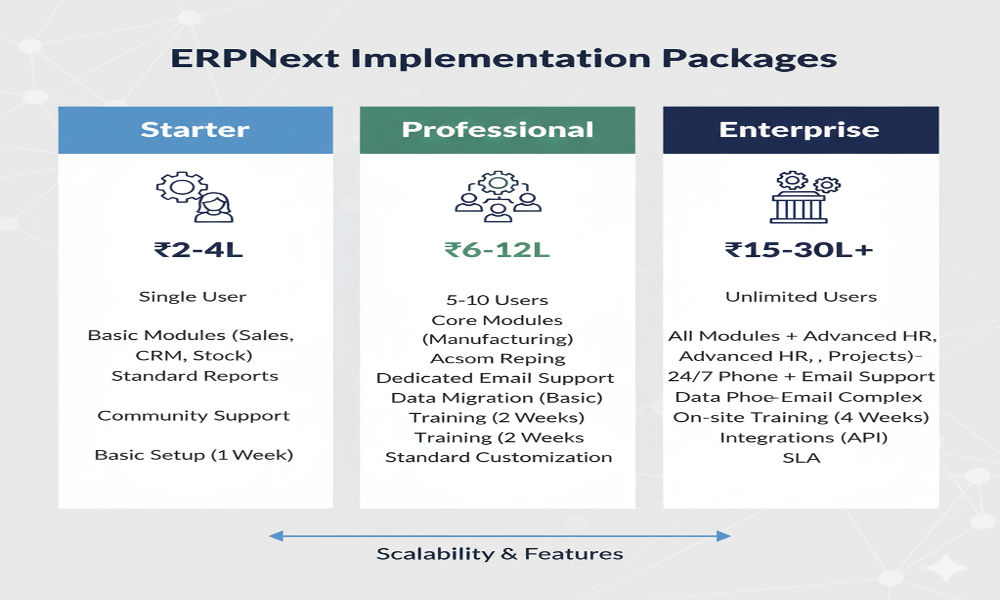
ERPNext v16 Migration Pricing
Migration costs vary based on system complexity, customization level, and business requirements:
Starter Migration
₹2-4 lakh- Standard ERPNext installation
- Minimal customizations (1-2 custom apps)
- Single company/location
- Basic integrations (2-3 systems)
- 20-50 users
- Timeline: 3-4 weeks
Professional Migration
₹6-12 lakh- Moderate customizations (3-5 custom apps)
- Multiple companies/locations
- Complex integrations (4-8 systems)
- 50-200 users
- Industry-specific workflows
- Timeline: 5-7 weeks
Enterprise Migration
₹15-30 lakh- Extensive customizations (6+ custom apps)
- Multi-location, multi-currency
- Complex integrations (8+ systems)
- 200+ users
- Legacy system data migration
- Timeline: 8-12 weeks
Why Choose TCB Infotech for ERPNext v16 Migration?
- Zero Project Failure Record: Since our founding in 2021, we’ve maintained a 100% project success rate across 50+ implementations. Our systematic approach ensures your migration is completed on time, within budget, and without data loss.
- Rescue Project Expertise: We’ve successfully rescued 15+ failed ERP implementations, giving us deep expertise in handling complex migration challenges, data recovery, and system stabilization.
- Business-First Approach: We don’t just migrate your system—we optimize your business processes. Our team combines technical expertise with business understanding to ensure your upgraded system delivers measurable ROI.
- Industry Expertise: With experience across 40+ industries including manufacturing, healthcare, education, NBFC, and construction, we understand industry-specific requirements and compliance needs.
- Post-Migration Support: Our commitment doesn’t end at go-live. We provide 30 days of complimentary support and offer Annual Maintenance Contracts (AMC) for ongoing system optimization and support.
Frequently Asked Questions
How long does ERPNext v16 migration take?
Migration timelines range from 3-12 weeks depending on system complexity, customization level, and business requirements. A standard migration with moderate customizations typically takes 5-7 weeks.
Will my customizations work in ERPNext v16?
Most customizations can be migrated with updates to accommodate framework changes. We conduct thorough compatibility testing and update custom apps as needed during the migration process.
What is the expected downtime during migration?
Planned downtime is typically 4-8 hours for the final production migration. We schedule migrations during off-business hours (weekends or nights) to minimize business impact.
Can we migrate only specific modules first?
ERPNext requires complete system migration due to framework dependencies. However, we can prioritize testing and training for specific modules based on business priorities.
What happens if something goes wrong during migration?
We maintain complete backups and have tested rollback procedures. If critical issues arise, we can restore your v15 system within 2-4 hours while we resolve migration issues.
Do you provide training for new v16 features?
Yes, our migration services include comprehensive user training covering both existing functionality and new v16 features relevant to your business processes.
Ready to Upgrade to ERPNext v16?
Don’t let migration complexity hold you back from leveraging ERPNext v16’s powerful new features. Our expert team ensures a smooth, risk-free transition that enhances your business operations.
Email: [email protected]
Phone: +91-7206511432
Locations: Malviya Nagar, Jaipur, Rajasthan & Hisar, Haryana
Schedule a Consultation